Quantower Review
Ease of Use
Value
Quality
Summary
If you’re in search of a new trading platform, you may have come across Quantower. This highly customizable multi-asset trading platform is designed to connect with all the data feeds and brokerages you may use to trade. This platform offers a variety of tools, including advanced trading tools, analysis tools, panels, and more. Learn everything you need to know about this platform by reading our complete Quantower review now.
Pros
65+ brokerage and data feed connections
Powerful charting platform with one-click trading
Volume and level 2 data analysis tools
Supports custom indicators and strategy backtesting
Unique tools including DOM Surface and TPO charts
Lifetime license available
Cons
Moderate learning curve and long setup time
🏆 Top Rated Services 🏆
Our team has reviewed over 300 services. These are our favorites:
Custom indicators require advanced programming knowledge
No community forum for additional support
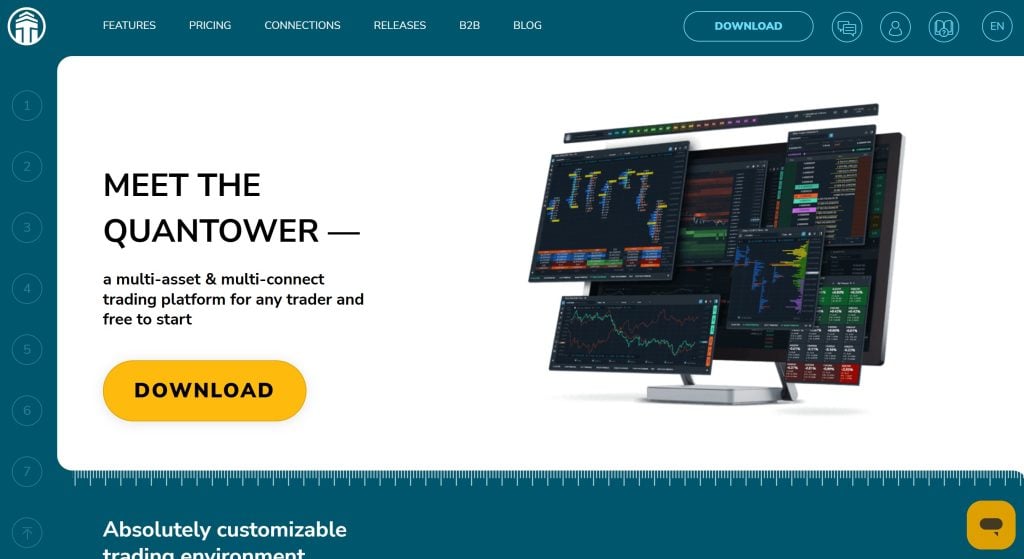
Quantower is a highly customizable multi-asset trading platform designed to connect with all the data feeds and brokerages you use to trade. It offers advanced trading and analysis tools, including panels for depth-of-market, time and sales, volume analysis, market replay, and more.
Quantower is relatively inexpensive compared to similar trading platforms and offers an attractive lifetime license. In our Quantower review, we’ll take a closer look at some of the key features that set this platform apart and help you decide if it’s right for you.
About Quantower
Quantower was created in 2017 by a Ukraine-based team. It’s designed to support trading on stocks, options, forex, CFDs, cryptocurrencies, and more, all in a single flexible trading platform. Quantower integrates with more than 65 third-party brokers, data providers, and crypto exchanges. The platform comes with more than 40 built-in trading and analysis panels, plus offers a C#-based API to enable algorithmic trading and custom features and integrations.
Quantower Pricing
Quantower offers a single plan that includes access to all of the platform’s features. It costs $70 per month, $336 for six months, or $580 for 12 months. You can also buy a lifetime license for $1,590, which includes unlimited access to all upgrades and new features released in the future.
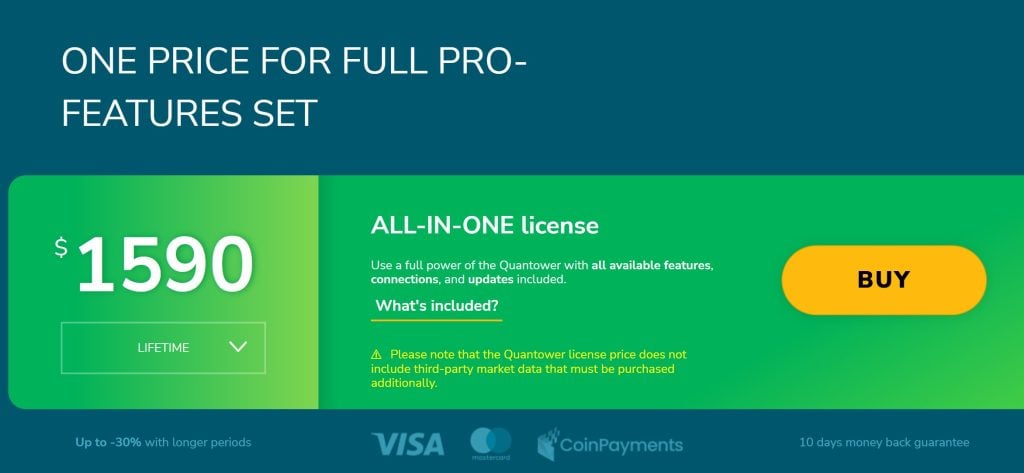
You can try out Quantower with all features free for seven days. There’s also a free plan, but you won’t be able to access all chart types, any volume analysis tools, market replay, or the Quantower screener with this plan.
Keep in mind that you’ll need to purchase data feeds to use with Quantower separately. Crypto data is available for free, but real-time stock, forex, and options data requires a third-party connection.
Quantower Features
Integrations and Connections
One of the most exciting things about Quantower is just how many different brokers, data feeds, and other tools it connects with. The platform offers native integrations for over 65 third-party providers, and you can easily create your own custom connections using Quantower’s API.
The connections include:
Stock brokers like Interactive Brokers and Tradier
Forex brokers like FXCM, Pepperstone, and IC Markets
Crypto exchanges like Binance US, OKX, Kraken, and KuCoin
Data feeds like dxFeed, iQFeed, MetaStock, and Polygon.io
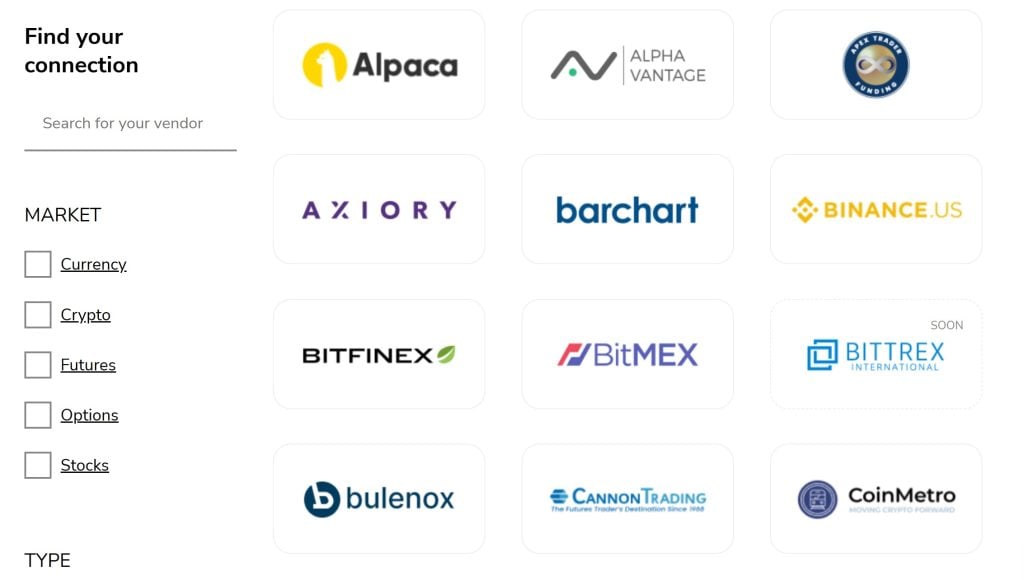
What’s even more unique is that you can utilize multiple data feeds and brokerage connections simultaneously in Quantower. This opens some interesting possibilities. For example, you can compare quotes across different data feeds to spot price movements sooner or even discover arbitrage opportunities in the crypto market. You can also connect several brokerage accounts and automatically route trades to the broker with the best spreads or liquidity.
Charting
Technical charting capabilities are at the heart of Quantower, and the platform has some of the cleanest and most customizable charts I’ve tested. You can use many different types of bars, including Heiken Ashi, range, and volume bars, and there are tons of customization options for each bar type. It’s also easy to save favorite chart layouts so you can quickly jump across preferred time intervals or bar types for your analysis.
The software comes with 160 built-in indicators as well as an impressive array of drawing tools. The selection of drawing options for mapping Fibonacci, Gann, and Elliott wave patterns is especially impressive. You can create your own custom indicators in Quantower, but the language used is a lot more complex than TradingView’s Pine script or Thinkorswim’s thinkscript. You’ll need to be proficient in programming to build even relatively simple indicators.
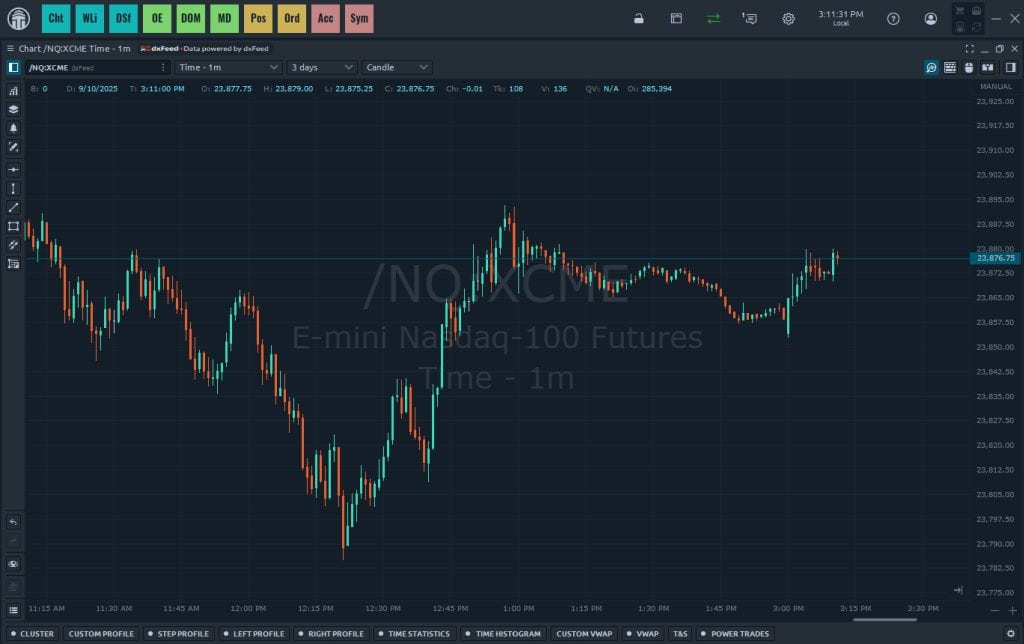
There are also some very useful volume analysis tools. Cluster charts enable you to view volume information for each candlestick, so you can see where the most trading activity happened within each interval’s price range. You can also plot multiple volume-weighted average price (VWAP) lines using different time intervals. And Quantower offers volume histograms and profiles to overlay on top of price data.
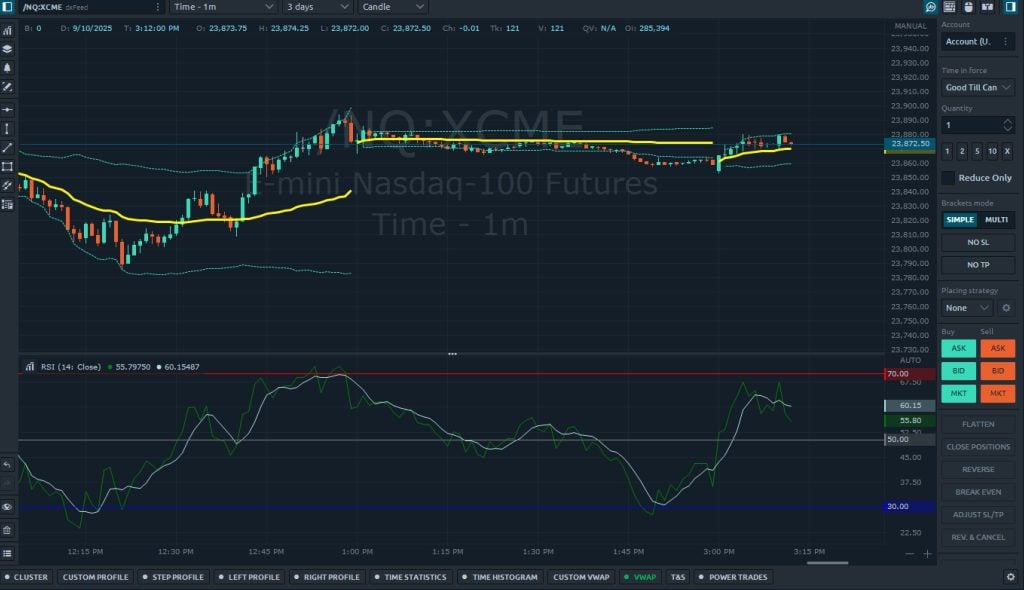
You can trade directly from charts within Quantower using a combination of right-click options and keyboard shortcuts. There’s also a trading panel that enables more complex orders, including fill or kill orders and bid/ask controls to help manage liquidity. This makes it particularly suitable for fast-paced scalping and day trading.
🏆 Top Rated Services 🏆
Our team has reviewed over 300 services. These are our favorites:
Level 2 Data
Quantower is particularly powerful when paired with Level 2 market data. It offers several data panels and visualizations to help you monitor this data and use it to make trading decisions.
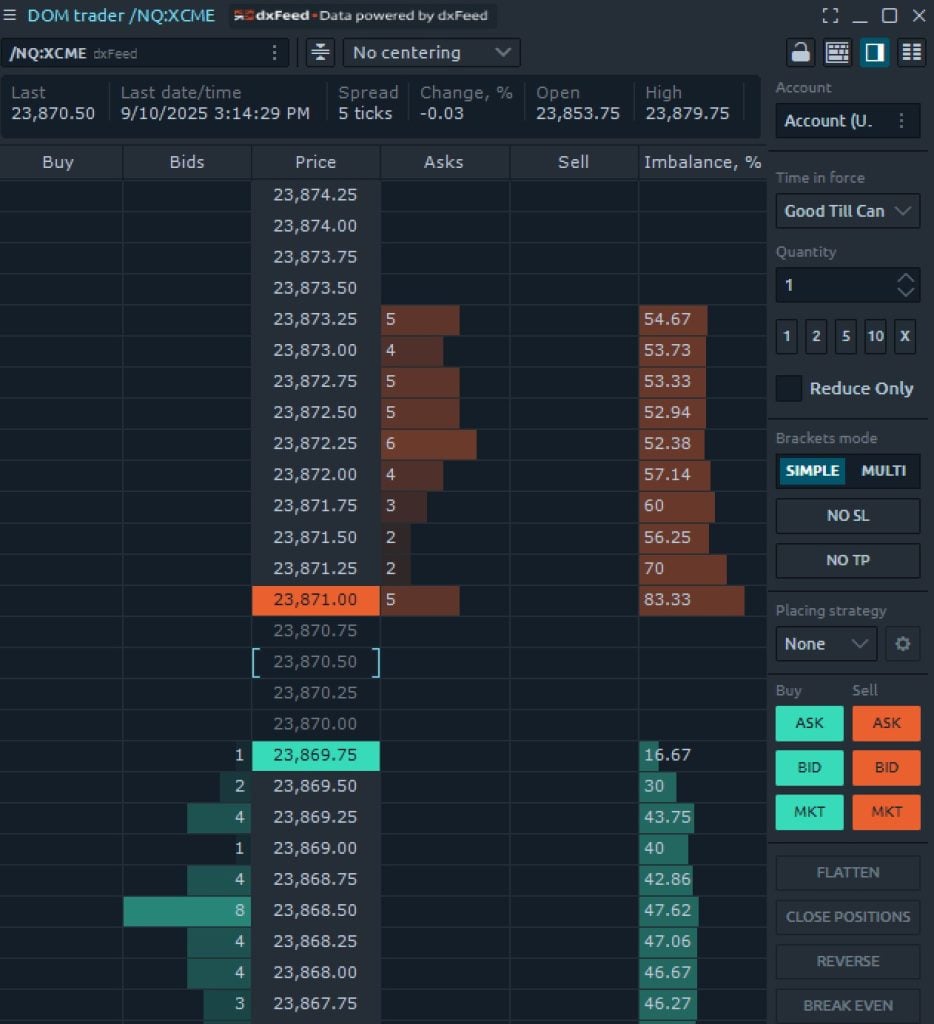
One example of this is the depth of market (DOM) panel, which goes a step beyond the typical DOM interface by offering one-click trading. Just click on a price level in the panel and Quantower will instantly place a buy or sell limit order at that price.
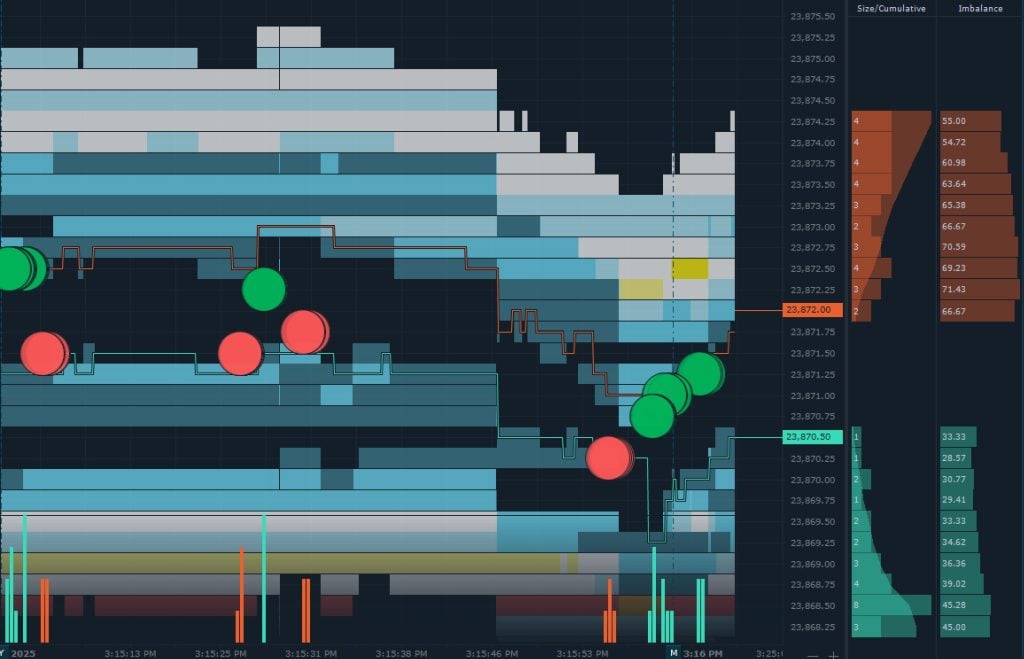
There’s also the DOM Surface panel, which displays a heatmap showing real-time changes to limit orders in an exchange’s order book. This is similar to what you get with Bookmap—you can easily see areas of limit order accumulation in the heatmap that typically correspond to areas of strong price support/resistance. While the DOM Surface panel in Quantower isn’t as customizable as what you get with Bookmap, the fact that it’s included at no extra cost is a huge value-add.
TPO Chart
Another unique feature within Quantower is the Time Price Opportunity (TPO) chart. This displays the amount of time that an asset spent at each price level during an interval you choose. For example, you can see what price levels a particular stock traded at each day for the last week. This is a really elegant way of identifying support and resistance levels.
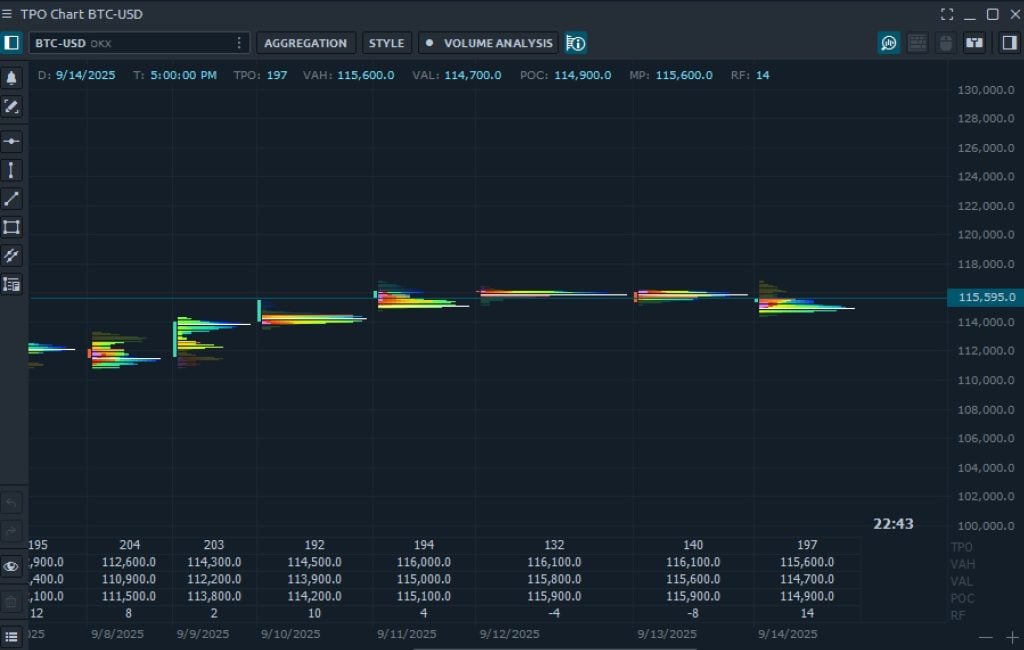
TPO charts are also very customizable. You can change the look of the TPO plot itself, or overlay candlesticks or volume data to see how trading activity corresponds to support and resistance levels. It’s also easy to modify the time interval you’re analyzing or even color-code specific time bands, like the first hour of trading each session.
Strategy Analysis
Quantower has some impressive capabilities for strategy development, although these require programming skills to really unlock. For example, the software supports backtesting and strategy optimization, but you must be able to write code within Microsoft Visual Studio in order to take advantage of this. Quantower’s Visual Studio integration also supports algorithm trading strategies and developing custom indicators.
Some of the more within-reach features that Quantower offers for strategy evaluation include a market replay function and trading simulator. Both support simulated trading using any connected broker or data feed and include basic position analysis tools to track your profit and loss. Together, these tools give you the flexibility to test out your strategy on live or replayed price action without risking real money.
Is Quantower Easy to Use?
Quantower is relatively easy to use compared to many other all-in-one trading platforms like Thinkorswim or MetaTrader. It has a much gentler learning curve to simply set up the platform, build a custom dashboard, and begin charting and trading. I also found it to be much simpler to add data connections to Quantower than to other platforms like MetaTrader.
That said, if you haven’t used an all-in-one platform like this before, expect to spend some time finding your way around. Quantower is well-organized, but the platform has a lot of different tools. You’ll get the most out of Quantower if you spend a few days customizing the dashboards to meet your needs and setting up chart templates for analysis.
Quantower does have an online knowledgebase complete with video tutorials to help you learn your way around the platform. However, there isn’t a huge online community around Quantower—like there is for Thinkorswim or MetaTrader—to help you solve challenges.
Quantower Platform Differentiators
Quantower shares a lot of capabilities in common with trading platforms like Thinkorswim and MetaTrader, including its all-in-one approach to trading and support for a huge range of charting and analysis tools. However, it stands out for offering an incredibly wide range of data and broker connections as well as the ability to use multiple connections simultaneously.
Quantower also offers some of the best chart-based trading features I’ve tested, with more customizable order entry options for traders who want tight control over liquidity and position management. Powerful analysis tools like the DOM Surface heatmap and TPO charts further help put Quantower ahead.
What Type of Trader Is Quantower Best For?
Quantower is a good choice for day traders in search of a new all-in-one trading panel. It’s especially suitable for fast-paced trading strategies like scalping and arbitrage trading, but can work well even for slower-moving strategies like short-term swing trading. Quantower’s support for numerous data feeds, brokers, and exchanges means it can work for stock, forex, options, crypto, and CFD traders alike.
The biggest drawback to Quantower is its complexity compared to more focused charting tools like TradingView. Quantower is a lot more powerful, but it has a much steeper learning curve—especially if you want to build your own indicators or backtest a trading strategy. This is a platform for advanced traders and you’ll get the most out of it if you have strong programming skills.
Is Quantower Worth It?
Quantower is relatively affordable for an all-in-one trading platform, especially considering the availability of a lifetime software license. The platform comes with all the indicators and analysis tools most day traders will need, and its support for strategy backtesting and algorithmic trading is a big plus. The only thing to consider is that you’ll need to pay for data feeds in addition to your Quantower subscription, but that’s the case for most trading platforms of this caliber.